17 min read
System Design Fundamentals: The 10 Components Behind Every App That Scales
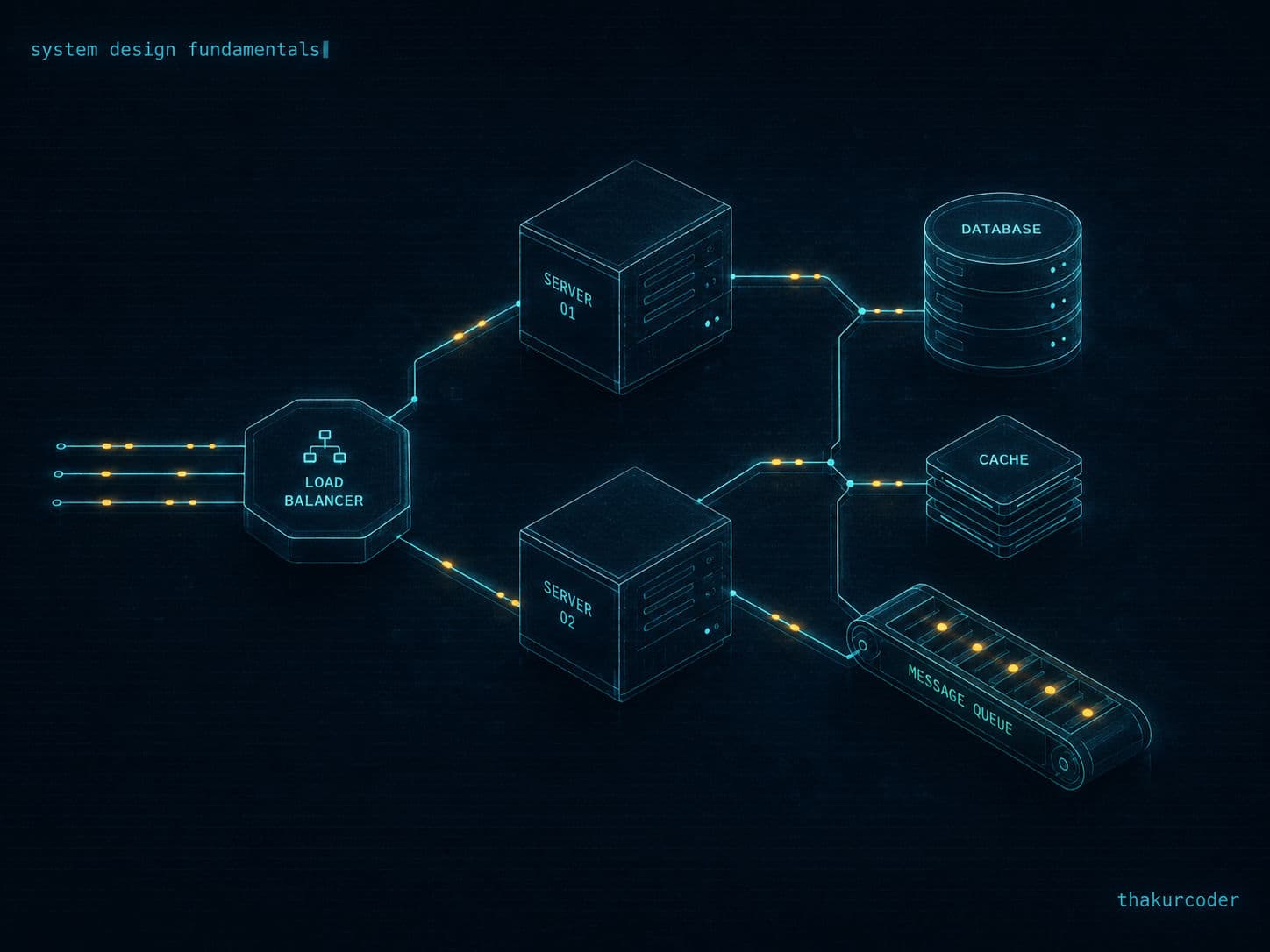
Anyone can write code that works. System design is what makes it work for 100 million users at once. This post walks through every core building block — databases, caching, load balancing, replication, partitioning, CAP theorem, message queues, and monitoring — with fact-checked numbers (WhatsApp moves 100+ billion messages a day, not millions) and a worked video-streaming design at the end.
TL;DR
- System = components + a common goal. Scaling is the art of swapping, adding, and rearranging those components as load grows.
- Improve code first, scale vertically until the hardware ceiling, then scale horizontally behind a load balancer with a shared data layer.
- Classify every feature as data-intensive (fix the database/network/cache) or compute-intensive (fix CPU/GPU/algorithms) before spending money on the wrong fix.
- Cache the hot 1% of data, pick an eviction policy (LRU is the default), and pick a write strategy (write-through, write-around, write-back) based on your consistency/speed trade-off.
- CAP theorem: in a partition you choose consistency or availability — banks pick CP, social feeds pick AP.
- Message queues decouple services for fire-and-forget work; failed messages land in a dead letter queue, not the void.
- Monitor percentiles (P50/P95/P99), not averages — averages lie.
Why system design matters
Anyone can write code that works. System design is what makes it work for a million people at once.
Your weekend project runs fine for 10 users. WhatsApp delivers more than 100 billion messages every day — roughly 1.15 million messages per second. The gap between those two numbers isn't better syntax or a fancier framework. It's architecture: how data moves, where it's stored, what happens when a server dies at 2 AM.
⚠️ Fact-check note: A lot of tutorials throw around "WhatsApp handles 2–10 million messages a day." That's off by four orders of magnitude. The 100 billion/day figure was confirmed by WhatsApp itself back in October 2020 and has only grown since. Always sanity-check scale numbers — they're the whole point of this discipline.
A system is nothing more than components + a common goal. System design is deciding which components, how they connect, and what trade-offs you accept.
The bank counter analogy (and what each piece maps to)
Imagine you run a small bank with one cashier. Customers queue up, deposit or withdraw, get a receipt, leave. Now watch it break five times — each failure introduces a real component:
| Issue | Real-world fix | System design concept |
|---|---|---|
| Cashier takes 10 min/customer | Train them to count and type faster | Code optimization (DSA, profiling, better queries) |
| Customers keep increasing | Bigger desk, cash-counting machine, pre-filled forms | Vertical scaling (upgrade the server) |
| Queue still too long | Open a second counter | Horizontal scaling (add servers) |
| Counter 1 and 2 have different balances | Shared ledger both counters read/write | Centralized / replicated database |
| Everyone lines up at counter 1 | A greeter directing people to the shorter line | Load balancer |
The customers are requests, the queue is traffic, each counter is a server, and the cashier is your application code.
💡 Tip: Vertical scaling is always step one — it's simpler and has zero distributed-systems complexity. Only go horizontal when you hit the hardware ceiling or need fault tolerance.
Data-intensive vs compute-intensive: ask this first
Before drawing a single box, classify the workload. Putting money into the wrong fix is the most expensive mistake in system design.
| Data-intensive | Compute-intensive | |
|---|---|---|
| Bottleneck | Moving/storing data | Calculating things |
| Examples | Instagram feed, chat apps, analytics dashboards, banking ledgers | Video transcoding, ML training, simulations, cryptography |
| You fix it with | Caching, replication, sharding, CDNs, better indexes | More/faster CPU or GPU, parallelism, better algorithms |
| Worries | Read speed, durability, concurrent access, node failure | Throughput of computation, parallelizability, cost per operation |
The litmus test: if time is lost in data movement, it's data-intensive. If time is lost in calculation, it's compute-intensive.
Real systems are usually both, per feature. YouTube is data-intensive for serving video segments but compute-intensive for transcoding uploads and running recommendations. Optimize per feature, not per app.
Functional vs non-functional requirements
Every design interview starts here, and most candidates skip it.
Functional requirements = what the system does. For an e-commerce app: register, login, search products, filter, add to cart, apply coupons, place order, pay, track delivery.
Non-functional requirements = how well it does it:
- Scalability — handle 1M daily active users; survive a 10x sale-day spike
- Performance — p95 response time under 200 ms
- Availability — 99.9% uptime ("three nines" ≈ 8.7 hours of downtime/year), formalized in SLAs/SLOs
- Reliability — no data loss, ever
- Security — authentication, authorization, encryption at rest and in transit
- Observability — logs, metrics, traces, alerts
Important: Non-functional requirements drive almost every architectural decision. "Build a chat app" tells you nothing; "build a chat app with sub-100 ms delivery for 50M concurrent users" tells you everything.
DNS: how a name becomes an IP
Computers route on IP addresses; humans remember names. DNS bridges the two — and it's one of the most elegantly distributed systems ever built, resolving names for the 350+ million registered domains worldwide.
The resolution chain: resolver → root → TLD (.com, .in, .org) → authoritative name server → IP.
A few facts worth getting right:
- There are 13 root server identities (letters A–M), operated by 12 independent organizations — Verisign runs two (A and J). Not "13 companies."
- Behind those 13 IP addresses sit over 1,700 physical machines distributed globally via anycast routing. When you query a root server, BGP routes you to the nearest instance.
- The number 13 is a historical artifact: the original DNS spec limited UDP responses to 512 bytes, and 13 name/IP pairs was the maximum that fit.
This is why DNS feels instant: caching at the browser, OS, and resolver level means the full chain runs rarely. Each record carries a TTL controlling how long caches keep it.
APIs: how systems talk
An API hides your database complexity behind stable endpoints. Five styles dominate:
| Style | Format | Best for | Watch out |
|---|---|---|---|
| REST | JSON over HTTP | Public APIs, CRUD, most web backends | Over/under-fetching |
| GraphQL | Query language, single endpoint | Frontend-driven data needs, mobile | Caching is harder, N+1 risk |
| gRPC | Protocol Buffers over HTTP/2 | Service-to-service in microservices | Not browser-native |
| WebSockets | Bidirectional channel | Chat, notifications, live games | Stateful — complicates load balancing |
| SOAP | XML | Legacy enterprise integrations | Verbose; you'll meet it, not choose it |
💡 Tip: gRPC's "g" doesn't officially stand for Google — it's a recursive acronym ("gRPC Remote Procedure Calls"), and the project jokingly redefines the "g" with every release. Protobuf's binary encoding is what makes it meaningfully smaller and faster than JSON for internal traffic.
REST conventions that separate juniors from seniors
- Resources are plural nouns:
/users,/blogs/42/comments— never/getUser - PUT replaces the whole resource; PATCH updates specific fields. Sending a partial body to PUT will null out the rest.
- Nesting for clear ownership (
/blogs/42/comments); query params for filtering and pagination (/blogs?sort=desc&q=java) - Sensitive data goes in the body, never in paths or query strings — URLs end up in logs.
- Always return an object envelope, not a bare array —
{ "users": [...], "total": 29 }lets you add fields later without breaking clients.
Status codes you must know cold: 200 OK, 201 Created, 204 No Content, 301/302 redirects, 400 bad request, 401 unauthenticated, 403 forbidden, 404 not found, 500 server error.
SQL vs NoSQL: the data layer decision
SQL (relational) stores data as tables with enforced schemas, constraints (UNIQUE, NOT NULL, PRIMARY KEY, FOREIGN KEY, CHECK, DEFAULT), and joins for relationships (one-to-many, many-to-many via junction tables, one-to-one).
NoSQL is everything else — "saying NoSQL is like saying not-Java." Four families:
| Family | Model | Examples | Sweet spot |
|---|---|---|---|
| Key-value | key → blob |
Redis, DynamoDB | Caching, sessions, counters |
| Document | JSON documents | MongoDB, CouchDB | Flexible schemas, content, profiles |
| Columnar | Column-oriented storage | Cassandra, BigQuery, Redshift | Analytics, aggregations over huge datasets |
| Graph | Nodes + edges with properties | Neo4j | Social graphs, fraud detection, recommendations |
The decision in one line:
Important: Pick SQL when correctness and relationships dominate (payments, inventory, bookings). Pick NoSQL when scale, schema flexibility, or raw throughput dominate (feeds, logs, activity streams). Netflix runs Cassandra for viewing activity; Amazon built DynamoDB for shopping-cart-grade availability; most fintech ledgers still live in Postgres.
Columnar stores deserve a note: computing AVG(marks) over 100M rows reads one column instead of scanning every row left-to-right. That's why they win at analytics — and why they're slower for writes.
Caching: the cheapest 10x you'll ever get
A homepage showing 6 courses might hit 4 data sources per course — 24 backend calls per page view. At 10,000 daily users that's 240,000 redundant queries for data that barely changes. Cache it once, serve it from memory.
Key vocabulary: a cache hit serves from memory (fast); a cache miss falls through to the database (slow); TTL is how long an entry lives before expiry. The cache must stay small — its speed comes from holding only the hot subset.
Write strategies
| Strategy | Write path | Read path | Trade-off |
|---|---|---|---|
| Read-through | DB directly | Cache (loads from DB on miss) | Simple; first read is slow |
| Write-through | Cache → DB synchronously | Cache | Always fresh; writes slower |
| Write-around | DB directly | Cache (fills on miss) | Avoids caching write-once data (e.g., tweets nobody reads) |
| Write-back | Cache now, DB async later | Cache | Fastest writes; risk of data loss if cache dies before flush |
Write-back powers things like live order-status updates in food delivery apps, where status changes every few seconds and eventual persistence is fine.
Eviction policies
- LRU (least recently used) — the sane default; old iPhone specs get evicted when everyone searches the new one
- LFU (least frequently used) — evicts the one-off lookups
- MRU — evicts what you just used; rare, but fits consumed-once data like applied coupons or already-watched video segments
- FIFO / LIFO — simple positional eviction, mostly for bounded buffers
⚠️ Warning: Caching is also your biggest source of bugs. Stale data, thundering herds on expiry, and cache/DB drift are real. Always design the invalidation story before adding the cache.
Load balancers: traffic cops with opinions
Once you have two servers, something must decide who gets each request. DNS points at the load balancer; the load balancer does two jobs: pick a server and track server health.
Routing algorithms
| Algorithm | How it picks | Strength | Weakness |
|---|---|---|---|
| Round robin | Next in rotation | Dead simple | Ignores server capacity |
| Weighted round robin | Rotation × capacity weight | Handles uneven hardware | Static weights drift from reality |
| Least connections | Fewest active connections | Good for long-lived/sticky sessions | A "connection" isn't a unit of work |
| Least response time | Lowest average latency | Tracks real performance | Costly to compute, sensitive to spikes |
| Geo-based | Nearest region | Lowest latency globally | VPNs mislead it; needs regional data |
| IP hash | hash(client IP) → server |
Natural session stickiness | Rehashing pain when servers change |
Modern stacks rarely need IP-hash stickiness — stateless auth (JWT) plus a shared session store (Redis) lets any server handle any request, which is exactly what you want for elastic scaling.
Health checks
- Passive — observe real traffic; flag servers whose responses degrade
- Active — send synthetic probes on an interval
Tunables: interval (how often), timeout (how long to wait), and healthy/unhealthy thresholds (how many consecutive successes/failures flip the state). These feed autoscaling decisions — scale down at 3 AM, scale up before the evening rush.
Replication: copies for survival and speed
Replication keeps full copies of data on multiple nodes. Why: kill the single point of failure, raise availability, serve reads closer to users, and multiply read throughput.
Single-leader
All writes go to one leader; followers replicate from it. The replication can be:
- Synchronous — leader waits for follower acks before confirming. Strong consistency, but one slow follower blocks everything. Impractical at scale in pure form.
- Asynchronous — leader confirms immediately, followers catch up. Fast, but a read from a lagging follower returns stale data (replication lag).
Adding a follower: snapshot the leader's state, load it, then replay the changes since the snapshot (the write-ahead/edit log). Leader failure: promote the most up-to-date follower (failover).
Multi-leader
Each datacenter has its own leader; leaders sync with each other. Great for geo-distribution and collaborative editing — but now two leaders can accept conflicting writes. Resolution options: last-write-wins (timestamp), highest-replica-ID-wins, or surface the conflict to the user (the Git merge approach).
Leaderless + quorum
No leader at all — clients write to and read from multiple replicas directly (Cassandra, Riak, Dynamo-style). Correctness comes from quorums: with N replicas, require W write acks and R read responses such that W + R > N. With N=3, W=2, R=2, every read overlaps at least one node holding the latest write.
Partitioning: when one node can't hold it all
Replication copies everything everywhere. At some point the dataset is too big for any single node — so you partition (shard): split data across nodes such that the union of all partitions equals the full dataset, distributed as evenly as possible.
- Key-range partitioning — users 1–50,000 on node A, 50,001–100,000 on node B. Simple, but uneven access creates hotspots (one shard absorbing most traffic).
- Hash partitioning —
hash(key)decides the shard. Spreads load better; ruins range queries. - Local secondary indexes — each partition indexes its own data (Cassandra, Elasticsearch). Reads must scatter-gather across all partitions.
- Global secondary index — one index maps values to partitions. Reads get targeted; every write must also update the index.
💡 Tip: In practice you partition first (split the data) and then replicate each partition (copy each shard 2–3x). That's how every large datastore — Cassandra, Kafka, MongoDB sharded clusters — actually runs.
CAP theorem: the trade-off you can't escape
Formulated by Eric Brewer in 2000 and proven by Gilbert and Lynch in 2002, CAP says a distributed system can guarantee at most two of:
- Consistency — every read returns the latest write
- Availability — every request gets a (non-error) response
- Partition tolerance — the system survives network splits between nodes
Here's the part most explanations get subtly wrong: P is not optional. Networks will partition. So the real decision is what happens during a partition:
- CP — refuse/redirect requests on stale nodes until they sync. Banking: you'd rather see "please wait" than a wrong balance.
- AP — keep answering with possibly-stale data. Instagram: nobody cares if your like shows up 2 seconds late in Tokyo.
- CA — only meaningful for a single-node system, where partitions can't happen. The moment you distribute, CA is off the table.
Important: CAP is per-operation, not per-system. The same platform can be CP for payments and AP for the activity feed. Modern systems also tune this per-query (Cassandra's consistency levels, DynamoDB's strongly-consistent reads).
Message queues: decouple or die
Placing an order triggers: update inventory (must be synchronous — overselling is a disaster), send a confirmation email, notify the delivery partner, fire an SMS. The last three are fire-and-forget — your order service shouldn't block on an email provider.
The golden rule: if you can fire the request and forget about it, it's async — put a queue in the middle.
What the broker handles for you:
- Buffering — absorbs spikes the consumer can't handle in real time
- Ordering — FIFO by default; priority queues when some messages matter more; strict ordering is available but a single stuck message blocks everything behind it, so prefer unordered + retries
- Delivery — push (broker sends to consumers) or pull (consumers fetch when ready)
- Retries & poison messages — a message that fails repeatedly is a poison message; after N attempts it's moved to a dead letter queue (DLQ) for inspection and replay, so the main queue keeps flowing
- Deduplication — exactly-once-ish processing so a payment email doesn't send twice
⚠️ Warning: "DLQ" stands for dead letter queue — the term comes from postal dead letter offices, where undeliverable mail ends up. You'll occasionally see it mangled as "dead later queue" in tutorials; that's wrong.
Skip the queue when: traffic is low (brokers add cost and ops burden), you need an immediate response, or the caller must have an acknowledgment to proceed.
Faults and monitoring: designing for the 2 AM page
Faults come in three flavors:
- Hardware — disks fill, RAM dies, cables fray, datacenters lose power. Random and abrupt. The only defense is redundancy: multiple servers, replicated databases.
- Software — bad code, unhandled exceptions, config drift, env mismatches, ugly merges. The good news: deterministic — reproducible, therefore fixable.
- Human — the most unpredictable component in the system. Mitigate with reviews, staged rollouts, and never doing band-aid fixes under pressure.
Monitor APIs
- Throughput — requests/sec vs capacity; alert at ~80%
- Error rates — 5xx and 4xx counts with alert thresholds
- Latency by percentile — and here's the trap:
Given response times of 1, 2, 2, 3, 3, 4, 5, 6, 12, 30 seconds, the average is 6.8s — but 80% of requests finished in ≤6s. Averages hide the pain. Track P50 (median experience), P95/P99 (worst real-user experience). A P50 of 200 ms with a P99 of 8 s means your slowest path — usually a missing index or an N+1 query — is torching 1% of users.
Monitor machines
CPU usage, memory, disk I/O, network I/O — each with alert thresholds (e.g., page at 75% CPU sustained). Health data feeds the scale-up/scale-down loop.
Worked example: design a video streaming service
Pull it all together. Requirements (scoped deliberately narrow): deliver uploaded video to viewers smoothly across devices and fluctuating networks. No auth, no comments.
The naive approach fails immediately. A 1-hour 4K recording is multiple GB. Forcing a full download before playback wastes bandwidth, storage, and the viewer's patience if they bail after 10 seconds.
Step 1 — segment the video. Split it into small chunks (2–10 seconds each) the player fetches sequentially.
Step 2 — transcode into multiple resolutions. Each segment gets encoded at 4K, 1080p, 720p, 480p, 240p. A 4K stream is pointless on a smartwatch; a phone on 4G is happy at 720p.
Step 3 — adaptive bitrate streaming (ABR). The player measures real-time throughput and picks the segment quality per fetch: network drops from 300 Mbps to 10 Mbps mid-video → next segments come down at 480p → recovers → quality steps back up. No buffering wheel, no manual switching.
💡 Fact-check on protocols: older tutorials say streaming runs on RTMP/RTSP. In reality, RTMP survives almost exclusively as an ingest protocol (streamer → server, e.g., OBS to a live platform). Delivery to viewers is dominated by HLS (Apple) and MPEG-DASH — both serve segments as plain files over ordinary HTTPS, which is exactly why CDNs cache them so well. YouTube and Netflix deliver over DASH/HLS, not RTMP.
The pipeline:
Back-of-envelope math (the part interviewers actually grade): a 20-minute 4K/60fps source at ~50 GB → 1,200 one-second segments → ~42 MB per 4K segment. Add 1080p (~17 MB), 720p (~8 MB), 480p (~4 MB), 240p (~2 MB) and each second of content costs ~73 MB of storage across the bitrate ladder. At 100 viewers one origin server copes; at 100,000 you need CDN edge caching, regional distribution, and browser-side segment prefetching — every component from this post, earning its place.
Notice the components chose themselves: CDN because it's data-intensive, priority queue because transcoding is async and some renditions matter more, workers because transcoding is compute-intensive and parallelizable, edge caching because the same segments serve thousands of viewers.
Production checklist
- Classify the workload — data-intensive vs compute-intensive — before choosing any component.
- Write down non-functional requirements with numbers: target p95 latency, availability SLO, peak-multiple to survive.
- Optimize code and scale vertically first — distributed complexity is a cost, not a badge.
- Cache deliberately: pick the write strategy and eviction policy for your consistency needs; design invalidation up front.
- Make services stateless (JWT + shared session store) so any load-balancing algorithm works and autoscaling is trivial.
- Partition, then replicate — and set quorums so W + R > N where you need read-your-writes.
- Decide CP vs AP per operation, not per system.
- Queue everything fire-and-forget, with retries capped and a DLQ wired to alerts.
- Alert on percentiles and error rates, never on averages.
- Assume every component fails — the design question is never if, it's what happens when.
Conclusion
I treat system design the way I treat refactoring: start with the simplest thing that works — one server, one database — and let measured pain justify every new component. A cache earns its place when query latency hurts. A queue earns its place when synchronous calls block real work. A second region earns its place when users far away feel it. In interviews and in production alike, the winning move isn't naming the most components — it's articulating the trade-off behind each one you add, with numbers attached. Pick one app you use daily, sketch its functional and non-functional requirements, and design it on paper. That single exercise teaches more than ten videos.
FAQ
What is system design in simple terms?
System design is the process of choosing and connecting components — servers, databases, caches, load balancers, queues — so an application keeps working as users grow from ten to ten million. A system is just components plus a common goal.
What is the difference between vertical and horizontal scaling?
Vertical scaling upgrades a single machine (more RAM, CPU, storage) and has a hard ceiling. Horizontal scaling adds more machines and requires a load balancer plus a shared or replicated data layer, but can grow almost indefinitely.
What does the CAP theorem actually say?
During a network partition, a distributed system must choose between consistency (every read sees the latest write) and availability (every request gets a response). Partition tolerance is not optional in a real distributed system — the network will fail eventually — so the practical choice is CP vs AP.
When should I use SQL vs NoSQL?
Use SQL when you need strict consistency, transactions, and well-defined relationships — payments, inventory, bookings. Use NoSQL when you need flexible schemas, easy horizontal scaling, or very high read/write throughput — feeds, logs, user activity, catalogs with varying attributes.
What is a dead letter queue (DLQ)?
A dead letter queue is a secondary queue where a message broker parks messages that repeatedly fail processing (poison messages), so the main queue keeps flowing and failed messages can be inspected, fixed, or replayed later.
Why are there exactly 13 DNS root servers?
There are 13 root server identities (A–M) because the original 512-byte UDP limit on DNS responses could only fit 13 name/IP pairs. Today those 13 IPs are served by 1,700+ physical instances worldwide via anycast routing, operated by 12 organizations.